When making purchases, retailers often incur expenses beyond the item costs — such as shipping, packaging, customs fees, and more. The Additional Costs (also called landed costs) feature lets you include these expenses in the final cost of goods, resulting in more accurate inventory valuation and profitability calculations.
Adding Additional Costs to a Purchase Order
Open an existing purchase order for editing, or create a new one.
Click Add Additional Costs at the bottom of the order.
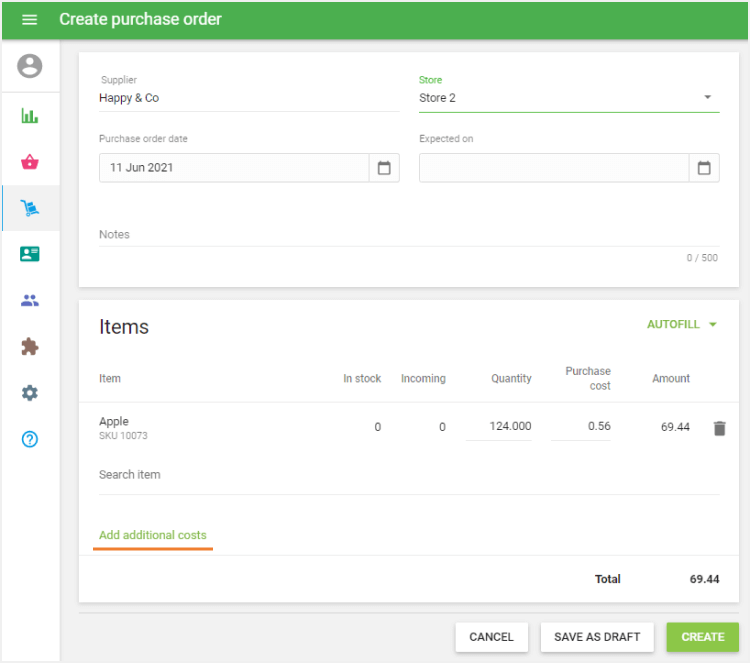
Fill in the Additional Cost name and Amount.
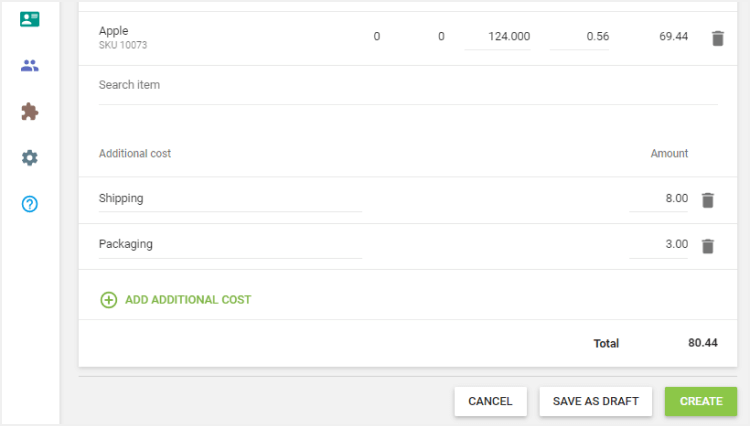
- The amount can be a negative value if you are receiving a discount from your supplier.
Click + Add Additional Cost to add further lines as needed.
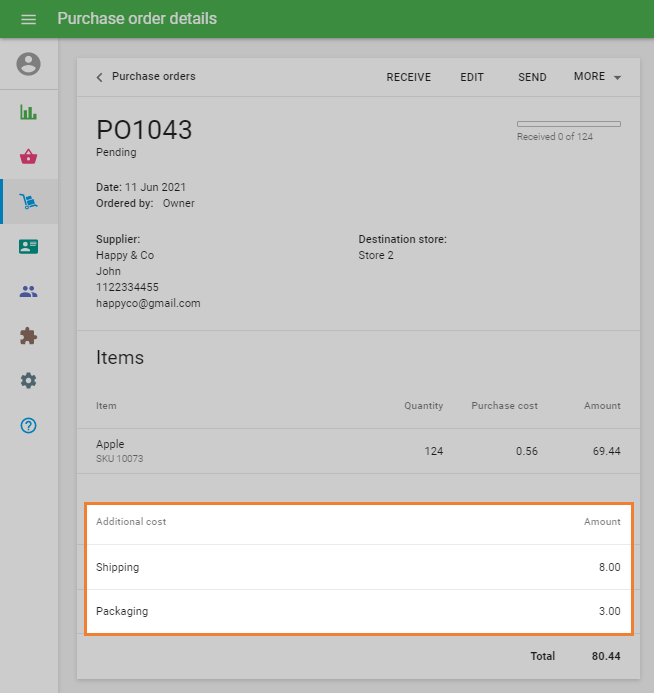
Once the order is saved, the additional costs will appear in the order details, and their total will be added to the item subtotal to calculate the overall Order Total.
Applying Additional Costs When Receiving Items
When confirming receipt of a purchase order, you can choose which additional costs to include in the final item cost calculation.
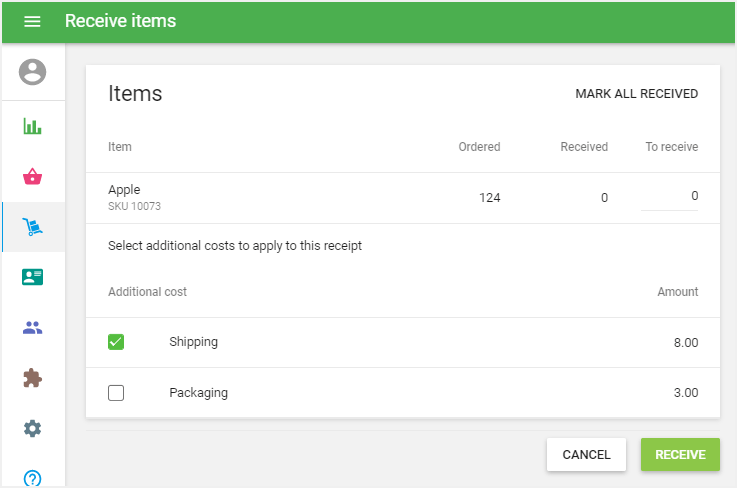
- Partial receipt: If you are only receiving some items from the order, you can apply additional costs selectively to those items only.
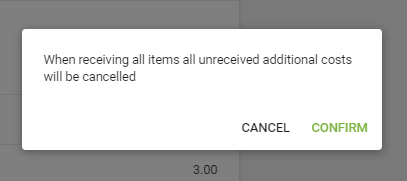
- Cancellation of unreceived costs: If you have received all remaining items but some additional costs are still unselected, the system will notify you that all unselected additional costs will be cancelled. Confirm to proceed.
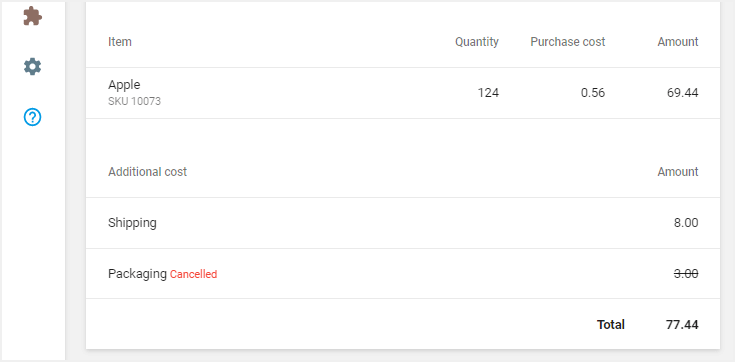
Cancelled costs will be marked accordingly in the received order details.
How Additional Costs Affect Average Cost
After receiving the purchase order, the system recalculates the weighted average cost for each item, taking the selected additional costs into account. This feeds into the Total Inventory Value and Potential Profit indicators in the Inventory Valuation Report.
Additional costs are distributed across all received items in proportion to each item's purchase cost.
The final purchase cost of an item, including additional costs, is calculated as:

Variable | Description |
|---|---|
C1 | Purchase cost of the received item |
Costs | Total amount of selected additional costs for this receipt |
Subtotal | Total value of all items received in the order (excluding additional costs) |
See also:
Advanced Inventory Management Overview
How to Work with Purchase Orders and Suppliers
How to Work with Transfer Orders
How to Work with Stock Adjustments
Inventory History and Valuation Report